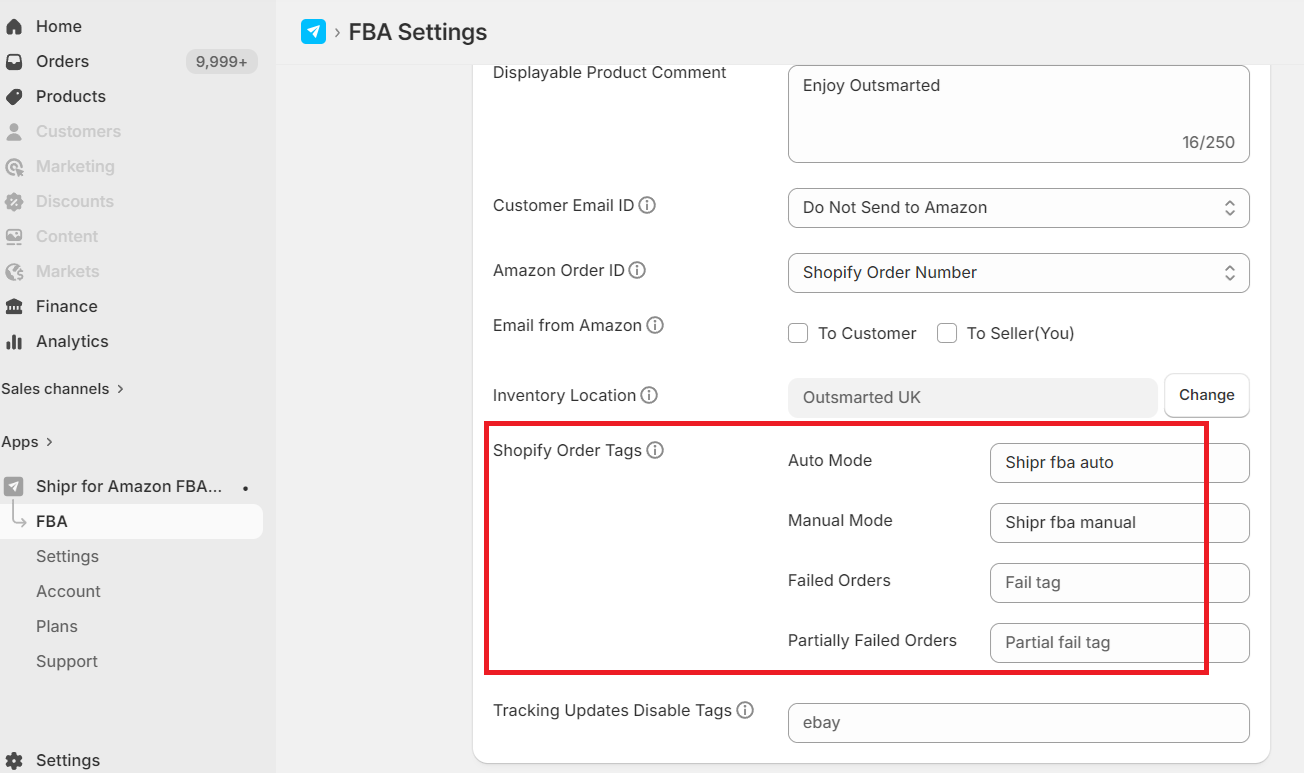
This feature allows store owners to automatically add Shopify order tags when orders are shipped via FBA. Tags are applied based on the FBA shipping mode used for fulfilment.
Users can specify the tags that should be automatically added for each shipping mode.
Example:
If you enter “Shipr-fba-auto” in the Auto Mode field, this tag will be added automatically when an order is shipped through Auto Mode via FBA.
Similarly, if you enter “Shipr-fba-manual” in the Manual Mode field, this tag will be added when the order is fulfilled manually via FBA.
Note: If the tag field is left blank, no tag will be added.
New Tag Options:
We’ve introduced two additional tag options to help track failed shipments more efficiently:
Failed Orders Tag – Automatically added when an Auto Shipment fails.
Partially Failed Orders Tag – Automatically added when an Auto Shipment partially fails.
Store owners can define the custom tag text that should be added for each case.